I was setting up an Azure Databricks workspace using my Azure for Students subscription.
When I tried deploying in the East US region, Azure blocked the deployment. The workspace configuration looked valid, yet the deployment still failed.
Status: Root cause identified. Deployment verification is still pending.
The Problem
When I tried to deploy databricks-spark-udemy in East US, Azure returned this error:
Resource 'databricks-spark-udemy' was disallowed by Azure: This policy maintains a set of best available regions where your subscription can deploy resources. The objective of this policy is to ensure that your subscription has full access to Azure services with optimal performance. Should you need additional or different regions, contact support.. (Code: RequestDisallowedByAzure, Target: databricks-spark-udemy)Trying Australia East ran into the same issue.
Root Cause
Azure for Students subscriptions can have region restrictions enforced through Azure Policy.
A service being available in an Azure region does not mean your subscription can deploy there. Each subscription has its own list of permitted regions.
How I Diagnosed It
I checked my subscription’s allowed regions directly in the Azure Portal:
- Opened Azure Portal.
- Navigated to Policy → Authoring → Assignments.
- Selected Allowed resource deployment regions.
- Opened the assignment’s Parameters.
- Checked the Allowed locations value.
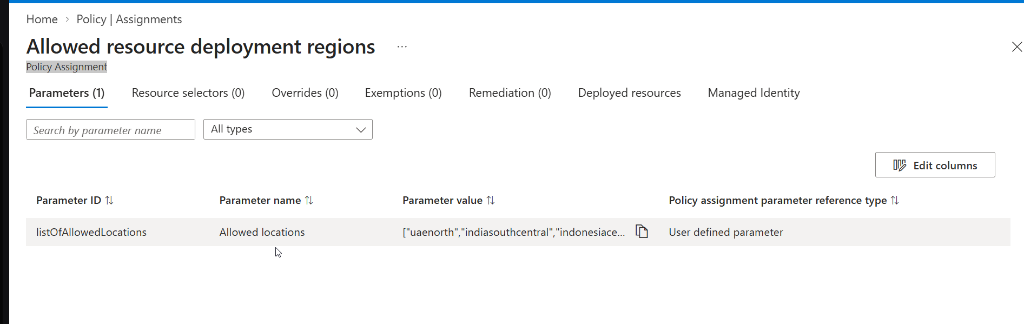
My subscription returned these five values:
[
  "uaenorth",
  "indiasouthcentral",
  "indonesiacentral",
  "malaysiawest",
  "koreacentral"
]
Neither eastus nor australiaeast was on the list. That explained why both deployment locations were blocked.
Resolution and Next Step
I checked those five regions against the official Azure Databricks supported regions docs.
Two of my permitted regions support Azure Databricks:
- Korea Central (
koreacentral) - UAE North (
uaenorth)
When I set the workspace region to UAE North, the Review + create screen passed validation.
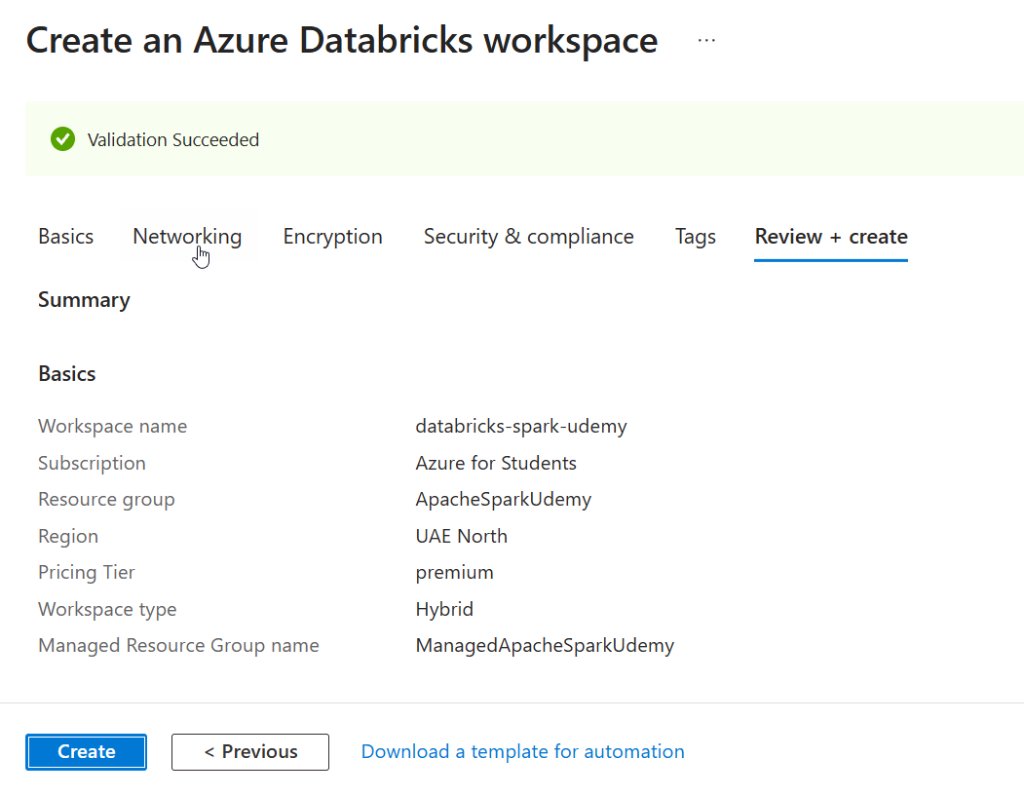
Next, I need to deploy the workspace in Korea Central and verify that provisioning succeeds.
Note: Picking a supported, permitted region fixes the region selection error. Successful deployment and Spark compute availability still need to be verified.
Takeaway
When Azure for Students returns RequestDisallowedByAzure, check your allowed region policy first. Do that before changing resource groups, workspace names, or deployment regions repeatedly.
Azure Portal → Policy → Assignments → Allowed resource deployment regions → Parameters
The permitted regions are subscription-specific.
Earlier, I used Databricks locally while setting up my first dbt project.